Overview
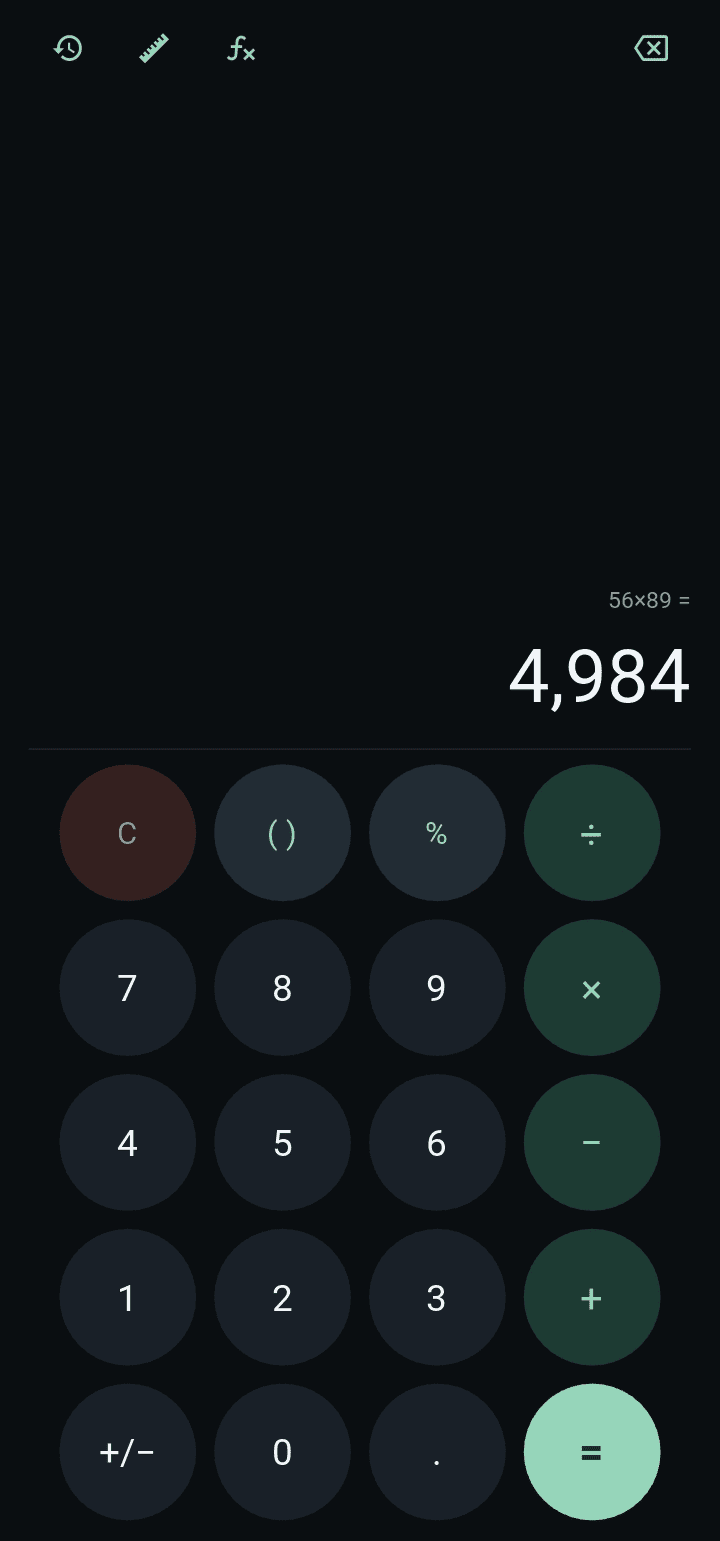
A dark-themed calculator for desktop and Android, written in Python with Kivy and KivyMD. It brings standard calculation, scientific calculation, a history of past calculations and a unit converter together in one application.
Screenshots
Problem addressed
Each of the tools has its own logic, and the challenge was keeping those separate pieces of logic in one place so that the finished program works as one product. The project began as a single large file whose calculation, formatting, layout and navigation were tangled together; it was audited, and rebuilt so that the calculation engine and the screens are separate.
Verified features
- Standard screen: a live result preview, percent that behaves like a real calculator (100 + 10% gives 110), smart brackets, thousands separators and a sign toggle.
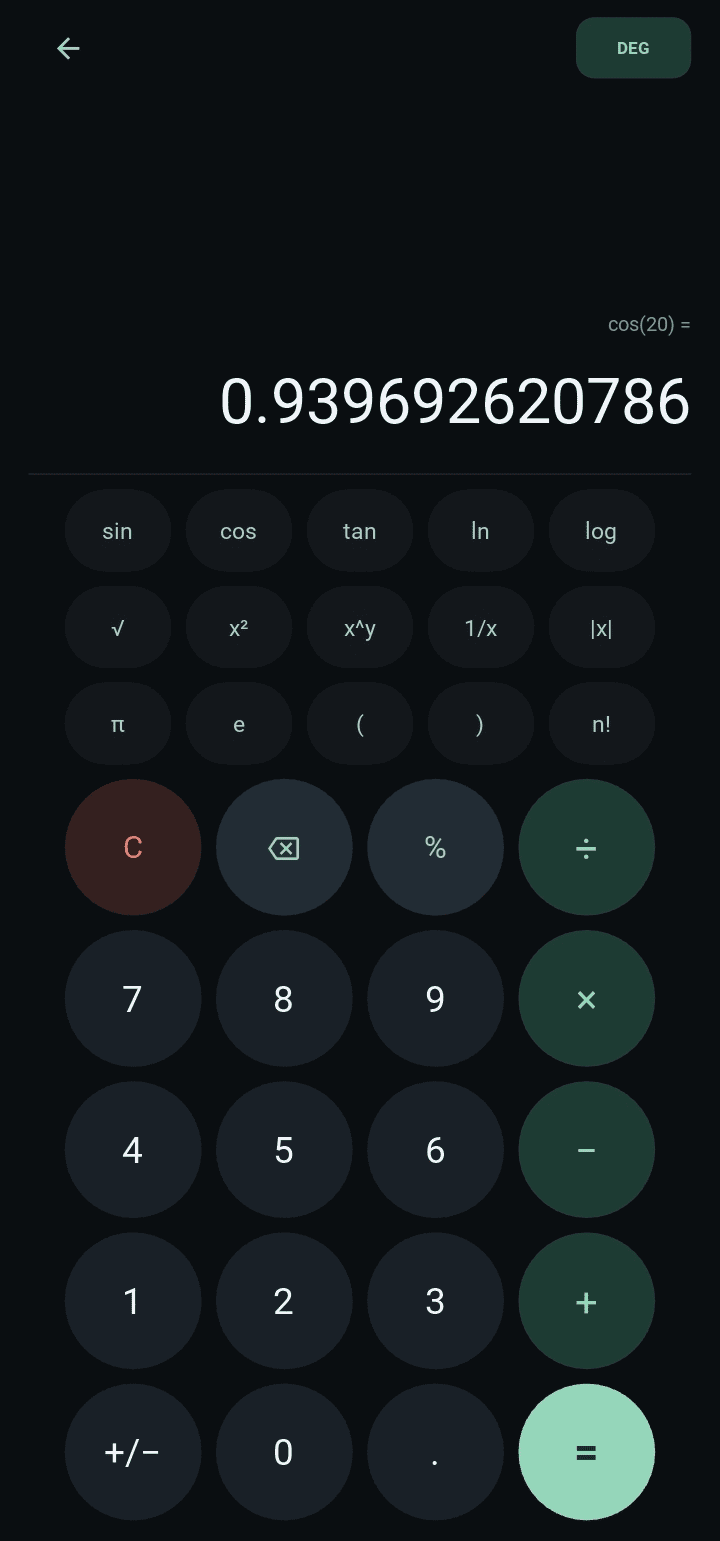
- Scientific screen: sin, cos, tan, ln, log, square root, square, powers, reciprocal, absolute value, factorial, π and e, with a DEG/RAD switch. It shares the engine and the expression with the Standard screen, so you can switch screens in the middle of a calculation.
- History: the last 100 calculations, saved between launches; tapping one loads it back for editing.
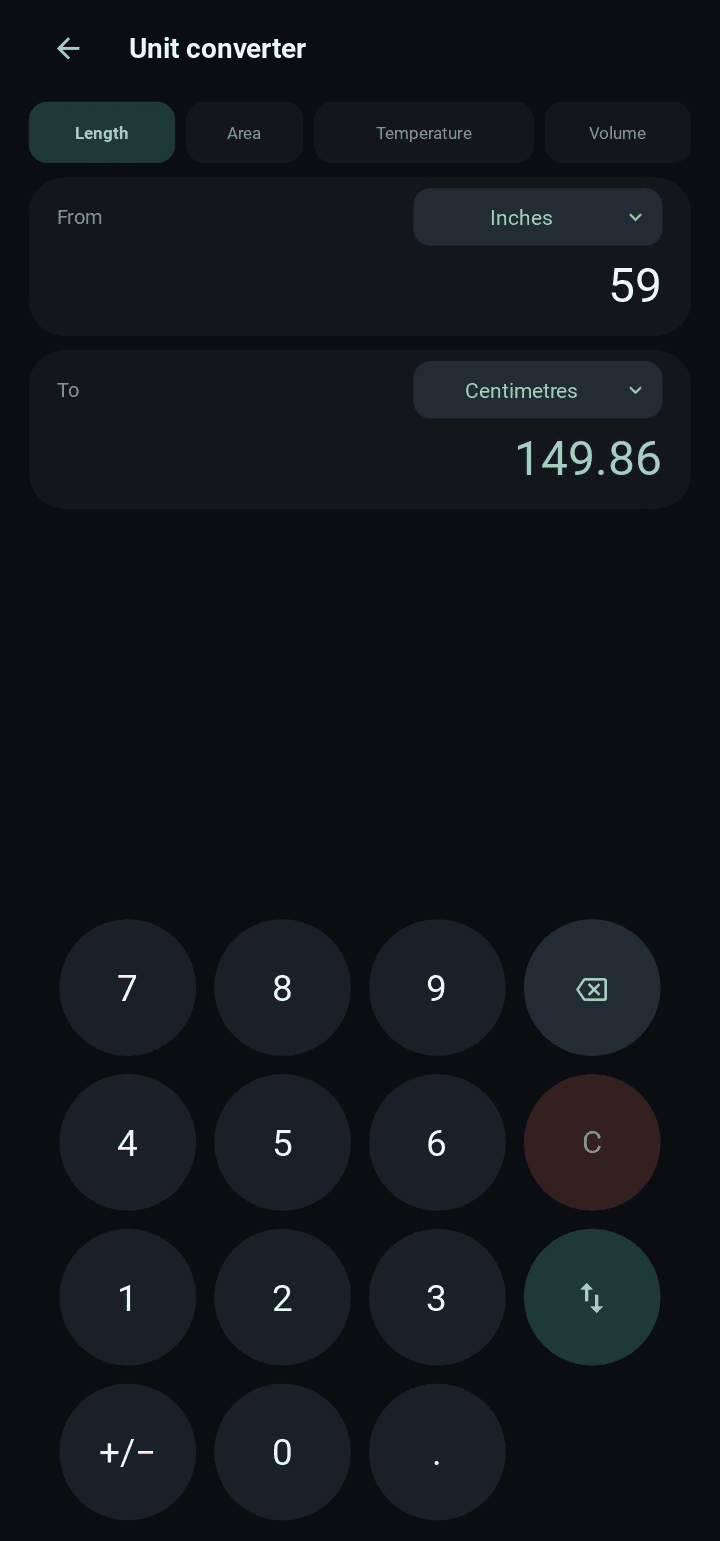
- Unit converter: length, area, temperature and volume, with a swap button and support for negative temperatures.
- Desktop keyboard support: digits, operators, brackets, Enter or = to calculate, Backspace to delete, and Delete or Esc to clear.
How it works
- Expressions are read by a parser written for the project instead of Python’s eval, so typed input cannot run code. A test covers hostile input.
- Numbers use Python’s Decimal type, so 0.1 + 0.2 is exactly 0.3.
- Errors are typed (for example division by zero or a maths-domain error) and carry a message shown under the display; the expression stays editable after an error.
- Thousands separators are added only when text is drawn, so the stored expression never contains commas.
- Results show up to 12 significant digits; very large or small values appear in a form such as 1.5×10^20, which can be typed back in.
Implementation approach
The code follows one rule: the core package never imports Kivy, and the UI package never contains calculation logic. A screen sends a key name to a shared session object and shows the text that comes back. The core holds the parser, expression editing, formatting, the shared session, the history store and the converter tables; the UI holds the theme, widgets, keypad layouts (written as data rather than repeated markup) and one small class per screen. Adding a unit is one line in the converter tables.
Technologies
Python 3.9 or newer, Kivy and KivyMD (used for the app shell and icon names), the decimal module, JSON for saving history, and unittest. The layout is set up for a Buildozer build to Android.
Technical challenges documented
- Commas in results: results were formatted with thousands separators and written back into the expression, so every follow-up calculation failed. Grouping now happens only when drawing.
- Percent: it was inserted as the modulo operator, so 50% was a syntax error. The parser now has real percent rules.
- Security: the original called eval, which is not a sandbox. It was replaced by the parser above.
- Expression editing: leading zeros, a second decimal point, repeated operators turning into power or floor division, and the sign toggle negating the whole expression were all fixed so that each key acts only on the number being typed.
- Shared state: a module-level global kept in step by hand between screens was replaced by one session object.
- A crash when tapping a unit button was traced to a fragile dialog widget; the dialogs were rebuilt on plain Kivy modal views, and an exception handler now logs unexpected errors instead of closing the app.
- A second sweep found further edge cases, such as pressing = twice, and powers or percent applied after a scientific-notation result; each was fixed with a regression test.
Status and evidence
In progress: not yet deployed. The calculation engine is covered by 65 unit tests that need no Kivy installed. The audit could not launch the Kivy and KivyMD screens in the environment where it was written; the application has since been installed and run, and it works as intended. The layout is designed for portrait orientation.